M-Pesa Daraja API Integration Requirements: Complete 2026 Guide
This guide shows what you actually need and how long it really takes. Not the 30-minute fantasy from YouTube tutorials - the real 5-week process.
Why this matters:
Every tutorial skips the bureaucracy. You'll waste weeks discovering requirements one at a time through email exchanges with Safaricom. This shows everything upfront so you can decide if it's worth it or use an alternative.
Quick Takeaway:
M-Pesa Daraja integration takes 5 weeks and requires: business registration, bank account, paybill/till number, and multiple KRA documents. Budget KSh 30,000-150,000 for development. If you process less than KSh 300,000/month, use third parties such as Paystack instead,way more faster to get started,for wordpress sites use the available plugins we will share resources below .
Can You Even Do This?
You need ALL of these:
[ ] Existing paybill or till number
[ ] Business registration (sole proprietor OR limited company)
[ ] Business bank account
[ ] Business KRA PIN + owner's personal KRA PIN
[ ] Time and patience (1-4 weeks)
Missing any? Stop. Use Third party API providers instead, we will share links below.
Have all? Continue.
Timeline: 5 Weeks from Start to Launch
Week 1: Open bank account (if you don't have one)
Week 2: Email Safaricom, get forms
Week 3: Submit documents
Week 4: Wait for approval
Week 5: Get credentials, go live
Total: 5 weeks maximum

Step-by-Step Process
Step 1: Update Paybill Email (Do First)
From the phone registered to your paybill:
Dial 2342#
Enter paybill/till number
Account Services → Update Email
Done
Takes 2 minutes.
This is important since Safaricom requires you to use the email linked to your paybill during the communication process.
Step 2: Email Safaricom
Copy this template and fill in your details:
---
To: [email protected]
Subject: Head Office Account Request
Dear M-Pesa Business Team,
I need Head Office account for Daraja API integration.
Paybill/Till: [your number]
Business Name:[your business name]
Contact: [your name]
Phone: [your Safaricom number]
Email:[your email]
Please send application forms.
[Your name]
---
Important: Send from the email you just registered in Step 1.
Expected response time: 1-3 days
Step 3: Documents You Need
Everyone Needs:
Business registration certificate
Owner's ID copy
Owner's KRA PIN certificate
Bank proof (letter from bank OR cancelled cheque OR statement)
Limited Companies Also Need:
Certificate of incorporation
Company KRA PIN
CR12 (from eCitizen, must be less than 90 days old)
All directors' IDs
All directors' KRA PINs
BOF1 form (from eCitizen)

Step 4: Bank Account
Don't have business bank account?
Go to any bank with:
Business registration
Owner's/directors' IDs
KRA PINs
Opens in 1-2 days.
After opening: Request bank letter confirming account exists (with account number, name, branch).
Account can be empty. Just needs to exist.
Step 5: Fill Forms
Safaricom sends you:
Application form
Terms & Conditions
Fill application form:
All contact details
Administrator: person who'll manage portal
Payment method: SELECT "Bank Account" (critical)
Enter bank details
Sign Terms & Conditions
Print both, sign, scan/photo.
Step 6: Write Authorization Letter
Copy this template:
---
[BUSINESS NAME]
Paybill/Till: [number]
Email: [email]
Phone: [phone]
[Date]
To: M-Pesa Business Team, Safaricom
RE: HEAD OFFICE AUTHORIZATION
I authorize upgrade of Paybill/Till [number] to Head Office with bank settlement.
Bank: [bank name]
Branch:[branch name]
Account:[account number]
Account Name:[account name]
Operators:Name: [name]
ID: [number]
Phone: [phone]
Purpose:Daraja M-Pesa API integration
[Signature]
[Name]
[Date]
---
Print, sign, scan.
---
Step 7: Submit Everything
Email to: [email protected]
Subject: Head Office Application - [Business Name] - Till [Number]
Attach all documents:
Core Documents:
Completed application form
Signed T&Cs
Authorization letter
Business Documents:
Business registration certificate
Owner's ID(s)
Owner's KRA PIN(s)
Bank proof
If Limited Company:
CR12 (if limited company)
BOF1 (if limited company)
Step 8: Wait
Safaricom processes: 1-3 weeks
You'll get email with:
Business Administrator username
Password
Link: org.ke.m-pesa.com
Login, change password.
Step 9: Developer Goes Live
While waiting, developer builds in sandbox (testing).
After approval:
Developer submits go-live on developer.safaricom.co.ke
You get OTP on phone
Give OTP to developer
Wait 1-3 days
Developer gets production credentials
Launch
Not sure if your developer knows what they're doing?
Read our guide on choosing an M-Pesa developer
Common Problems and Solutions"No business bank account"
"No business bank account"
→ Open one. Takes 1-2 days. Required.
"CR12 is old"
→ Get new one from eCitizen. Must be under 90 days.
"Safaricom says use registered email"
→ Update email first (Step 1), then resend.
"This takes too long"
→ Use third parties such as Paystack. Live in 1 week instead of 5.
Cost Reality
Setup:
Documents: ~KSh 1,500
Developer: KSh 30,000-150,000
Monthly:
Transaction fees: ~2-3% of volume
vs Paystack:
Setup: KSh 0-30,000
Monthly: 3% of volume
Live in 1 week

The Bottom Line:
If you process less than KSh 300,000/month: Use Paystack or a third party of your choosing.
The fee difference isn't worth the hassle at that volume.
Comparing all payment options?
See our complete payment gateway comparison
Should You Even Do This?
Use Direct M-Pesa if:
Processing KSh 500,000+/month
Have all documents ready
Can wait 5 weeks
Want lowest fees
Use Paystack if:
Processing less than KSh 300,000/month
Need to launch this week
Missing documents
Want simplicity
Most new businesses should start with Paystack, migrate later if volume grows.
Implementation Checklist
[ ] Paybill email updated
[ ] Bank account exists
[ ] All documents gathered
[ ] Forms filled and signed
[ ] Everything submitted to Safaricom
[ ] Received HO approval
[ ] Developer has production credentials
[ ] Tested with real money
[ ] Live
Get Expert Help with M-Pesa Integration
Doing this yourself but stuck?
Free 15-minute consultation to answer your questions - no obligation.
Want someone to handle it?
CnB Code has integrated M-Pesa for dozens of Kenyan businesses. We handle:
All Safaricom communications
Document gathering and submission
Full development and testing
Production deployment
We also offer hourly consulting , if you just need guidance at specific steps.
Written by the Engineering Team at CnB Code
We build fast, scalable applications, complex API integrations, and automate business workflows. Based in Nairobi, serving ambitious businesses globally.
Need help implementing this? We're here to help.
Our engineering team at CnB Code specializes in building and integrating custom software solutions just like this for forward-thinking businesses.
Recommended for you
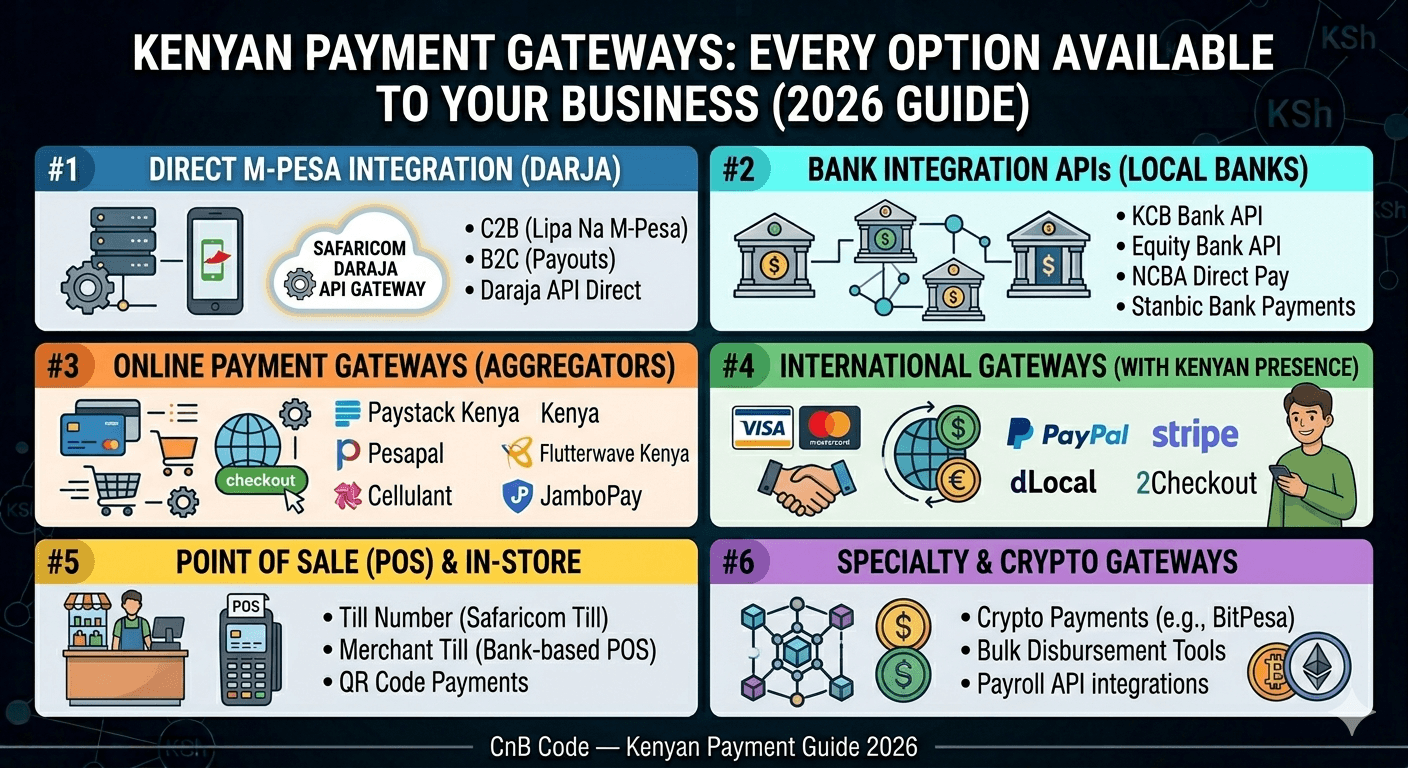
Payment Gateways in Kenya: Every Option Available to Your Business (2026)
Every payment gateway available to Kenyan businesses in 2026 — M-Pesa, cards, bank APIs, and cross-border options. Fees, features, and who each one is best for.
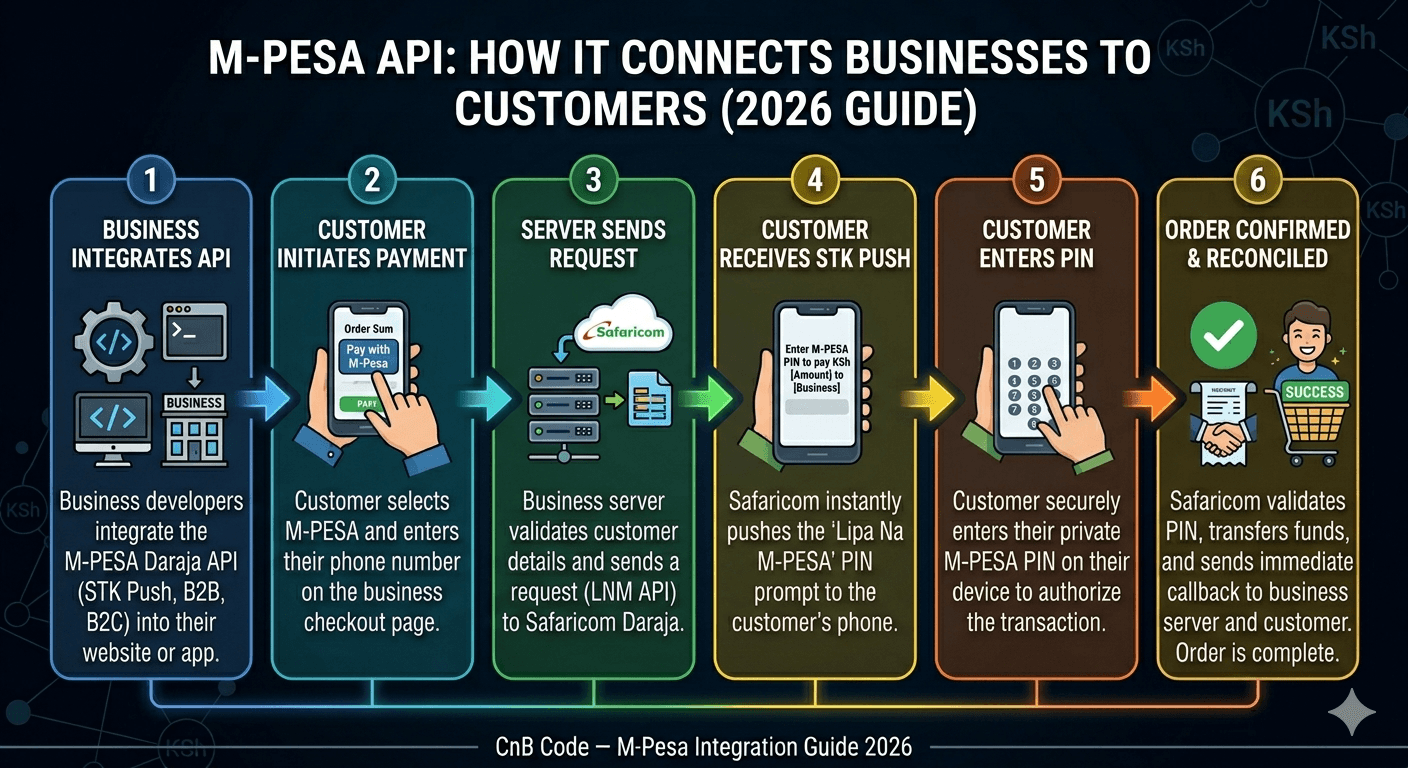
What is M-Pesa API and How Does It Work for Businesses?
M-Pesa API explained for Kenyan business owners. Learn how Daraja works, what STK Push means, and whether your business actually needs API integration.