Why M-Pesa Integration Fails on Kenyan Business Websites
What is M-Pesa?
M-Pesa is Kenya's most trusted mobile payment method — and for good reason.
Instead of card details or lengthy forms, customers simply confirm a payment with their PIN directly on their phone.
Fast, familiar, and built for how Kenyans actually shop.
But here's the problem: thousands of Kenyan businesses are losing sales every day because their M-Pesa integration doesn't work the way it should.
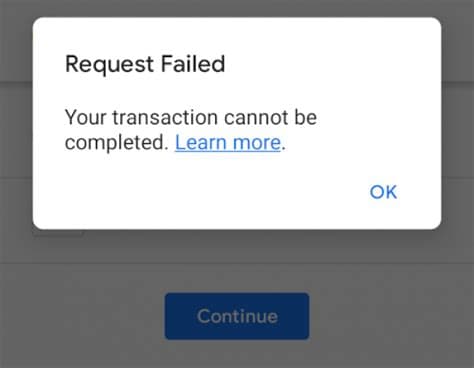
A customer goes through the entire STK push, enters their PIN, gets debited — and then the website throws an error.
The order doesn't update. No confirmation email arrives.
The money is gone and the customer is furious.
M-Pesa itself isn't the issue. Safaricom's infrastructure handles millions of transactions daily without breaking a sweat.
The real culprit is how the Daraja API gets integrated — and the corners developers cut when doing it.
Quick Takeaway
M-Pesa integration fails due to 5 technical issues: callback URL errors, SSL certificate problems, expired tokens, poor error handling, and inadequate testing. This article explains each failure point and how to prevent costly mistakes.
The Hidden Complexity Behind M-Pesa Website Integration
Many business owners assume adding M-Pesa payments is straightforward. After all, millions of Kenyans use M-Pesa daily. How hard can it be?
This misconception is where failures begin.
Manual M-Pesa transfers are simple. Automated website payments through the Daraja API are an entirely different challenge.
Your system must authenticate with Safaricom’s servers, generate access tokens that expire hourly, initiate STK push requests, receive callback confirmations, validate those callbacks, update order statuses in real time, and handle dozens of failure scenarios at any stage.
A customer sees a single “Pay with M-Pesa” button.
Behind that button, your system is
Executing API calls.
Managing OAuth tokens.
Processing asynchronous callbacks.
Verifying transaction amounts.
Preventing duplicate charges
Fraud detection
When any component fails, payments break — often silently.
Paybill vs API integration confusion
The difference between Paybill numbers and API integration causes major misunderstanding.
Paybills are designed for manual payments where customers send money and businesses reconcile transactions later by checking statements.
There is no automation and no real-time confirmation.
The M-Pesa Daraja API enables STK Push payments that communicate directly with your website.
Some businesses attempt to bridge this gap by asking customers to send money manually and enter their phone number afterward..
hoping the system will auto-confirm payment.
This approach creates unreliable systems where payments succeed but orders never update.
Common misconceptions
Many businesses believe:
Any developer can integrate M-Pesa
Sandbox testing guarantees production success
Integration is a one-time setup
HTTPS alone ensures security
These assumptions account for most failed implementations.
Proper integration requires understanding OAuth token lifecycles, callback validation logic, timestamp synchronization, secure credential storage, and maintaining high server availability.
Developers without extensive payment API experience often underestimate these requirements until production failures expose them.
5 Common Reasons M-Pesa Integration Fails
Callback URL configuration errors
This is the most common cause of failure.
When a customer completes payment, Safaricom sends a POST request to your callback URL containing transaction details. If that request fails, your system never receives confirmation — even though the customer’s money is already deducted.
Typical problems include:
Using HTTP instead of HTTPS
Firewall rules blocking Safaricom IP ranges
Callback endpoints returning non-200 responses
URLs not publicly accessible from the internet

SSL certificate requirements not met
Safaricom enforces strict SSL validation in production.
Certificates must:
Be issued by trusted authorities
Include a complete certificate chain
Match the domain exactly
Not be expired or self-signed
Self-signed certificates often work in sandbox but fail silently in production. Incomplete chains cause situations where the website loads normally, yet Safaricom servers cannot validate the connection.

Incorrect API credentials or expired tokens
Credential issues cause unpredictable failures.
Common problems include:
Mixing sandbox and production credentials
Hardcoding access tokens instead of regenerating them
Tokens expiring after one hour without refresh logic
Storing consumer keys insecurely
These systems often work initially, then fail randomly without explanation.
Poor error handling
Many integrations only handle successful responses.
They fail to account for:
Network timeouts
Duplicate callbacks from Safaricom retries
Delayed confirmations
Partial or unexpected response payloads
Without defensive validation and idempotent processing, real-world traffic exposes weaknesses sandbox testing never reveals.
Inadequate sandbox testing
Developers often test only one successful payment and consider the job complete.
They rarely test:
Cancelled STK pushes
Insufficient balance
Wrong PIN entries
Delayed callbacks
Network interruptions
Production environments introduce real latency, strict security enforcement, and unpredictable customer behavior that sandbox environments do not simulate.
What Happens When M-Pesa Integration Breaks?
When just five percent of transactions fail, the financial impact becomes severe.
A business processing 200 daily transactions at an average order value of KES 3,000 loses:
KES 30,000 per day
KES 900,000 per month
Nearly KES 11 million annually
And that loss is entirely preventable.
Customers who experience failed payments rarely return,
Unlike abandoned carts, payment failures occur after commitment — when customers have already entered their PIN.
The emotional damage is far greater.

Trust and reputation damage
Customers may tolerate slow websites, but not lost money.
Failed payments immediately raise questions about legitimacy. Complaints spread rapidly through WhatsApp groups, Google reviews, and social media, creating reputational damage that persists long after the technical issue is resolved.
Manual reconciliation nightmares
When automation fails, staff must:
Download daily M-Pesa statements
Match phone numbers manually
Cross-check timestamps
Resolve mismatched amounts
For high-volume businesses, reconciliation becomes a full-time role.

Security Vulnerabilities in DIY Integrations
The most dangerous mistake is exposing API credentials in frontend JavaScript.
Anyone can view browser source code. Exposed consumer keys or access tokens allow unauthorized payment requests.
All M-Pesa API communication must occur on the backend, with credentials stored securely as environment variables.
Weak transaction verification
Without strict verification, attackers can simulate successful payment callbacks.
Secure systems validate:
Amount paid matches order total
Phone number matches checkout session
Receipt numbers are unique
Transaction IDs are not reused
Callback validation gaps
Professional systems validate:
Request origin IP ranges
HTTPS enforcement
Payload integrity
Rate limiting
Accepting all incoming POST requests blindly exposes businesses to fraud.
How Professional Integration Prevents These Failures
Professional integration focuses on long-term reliability, not quick deployment.
Proper architecture separates payment logic from business logic.
Uses queue-based callback processing.
Ensures idempotent operations so duplicate requests never cause duplicate charges.
Backend-only API communication keeps credentials secure. Database transactions ensure order updates, inventory deductions, and payment records remain synchronized.
Robust logging and monitoring
Every transaction step is logged:
STK push initiation
Callback receipt
Validation results
Status updates
Monitoring systems detect spikes in failures, authentication errors, or delayed callbacks before customers notice.
Comprehensive testing and maintenance
Professional testing includes:
Successful payments
Failed payments
Timeouts and retries
Load testing
Production simulations
Ongoing maintenance tracks token renewal, Safaricom API updates, and security patches.
Reliable M-Pesa integration is not a one-time setup — it is a maintained payment system.
Avoid Costly M-Pesa Integration Mistakes
That simple “Pay with M-Pesa” button hides significant technical complexity. Businesses that underestimate it suffer payment failures, lost revenue, and damaged trust.
Those that invest in proper integration gain stable cash flow, happier customers, and scalable growth.
Related resources:
How to Integrate M-Pesa API Properly
M-Pesa Integration Cost Breakdown
Choosing the Right M-Pesa Developer
Professional Payment Integration Services
Is Your M-Pesa Integration Losing You Money?
If customers are completing payments but your website isn't confirming them
Failed callbacks.
Missing transactions.
Manual reconciliation eating your time..
something is broken in your integration.
We'll review your current setup, identify exactly where it's failing, and give you a clear action plan to fix it.
Get a free M-Pesa integration audit →
We’ll review your current setup, identify potential failure points, and provide a clear action plan.
Written by the Engineering Team at CnB Code
We build fast, scalable applications, complex API integrations, and automate business workflows. Based in Nairobi, serving ambitious businesses globally.
Need help implementing this? We're here to help.
Our engineering team at CnB Code specializes in building and integrating custom software solutions just like this for forward-thinking businesses.
Recommended for you
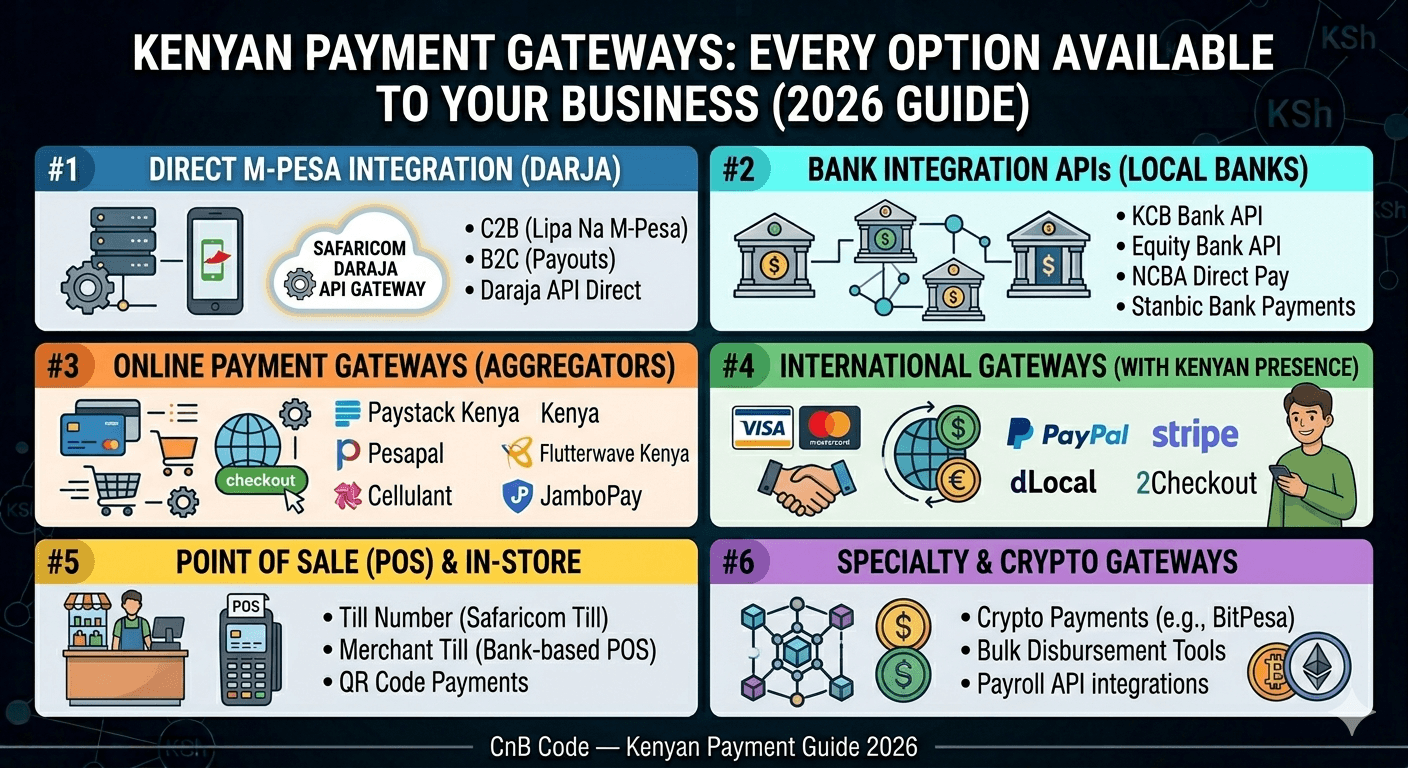
Payment Gateways in Kenya: Every Option Available to Your Business (2026)
Every payment gateway available to Kenyan businesses in 2026 — M-Pesa, cards, bank APIs, and cross-border options. Fees, features, and who each one is best for.
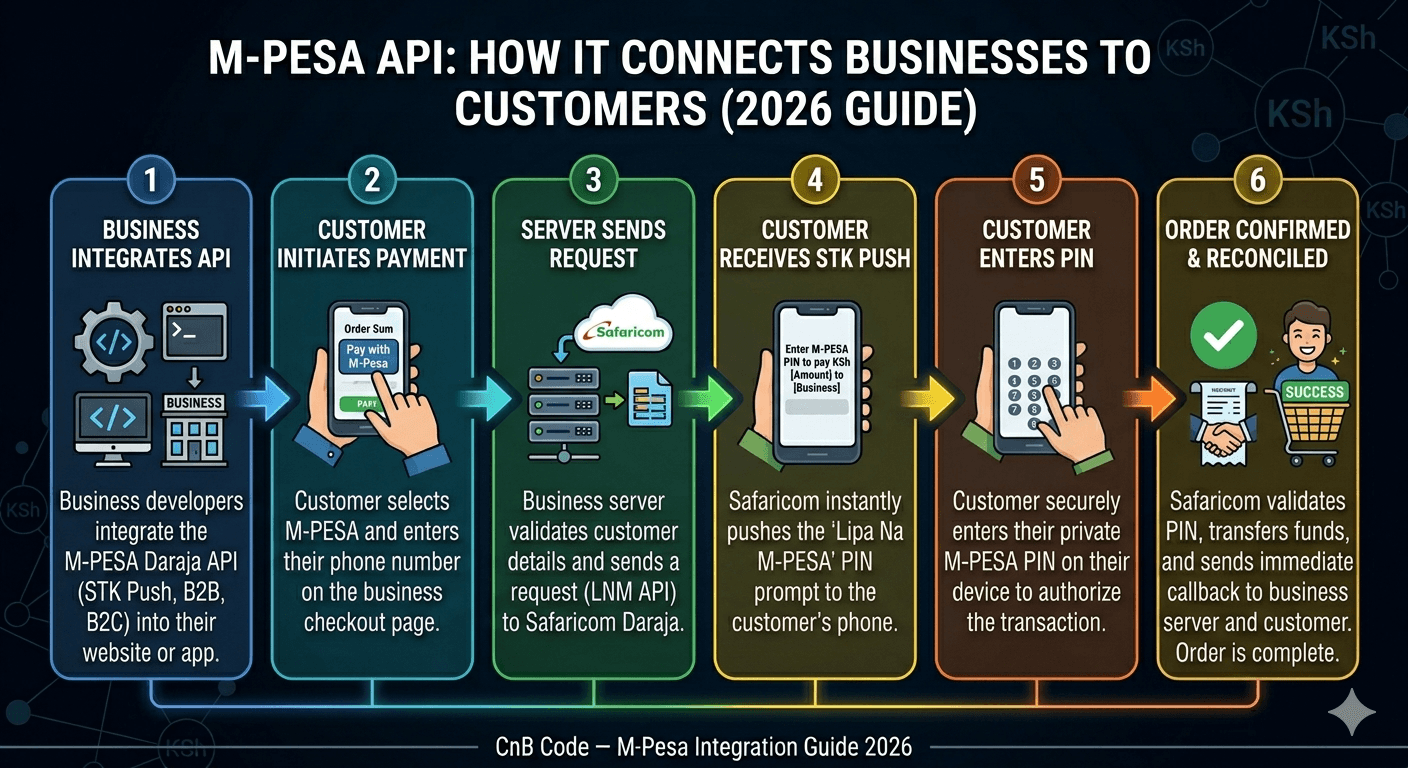
What is M-Pesa API and How Does It Work for Businesses?
M-Pesa API explained for Kenyan business owners. Learn how Daraja works, what STK Push means, and whether your business actually needs API integration.